# vphone-cli
Run a virtual iPhone on an Apple Silicon Mac.
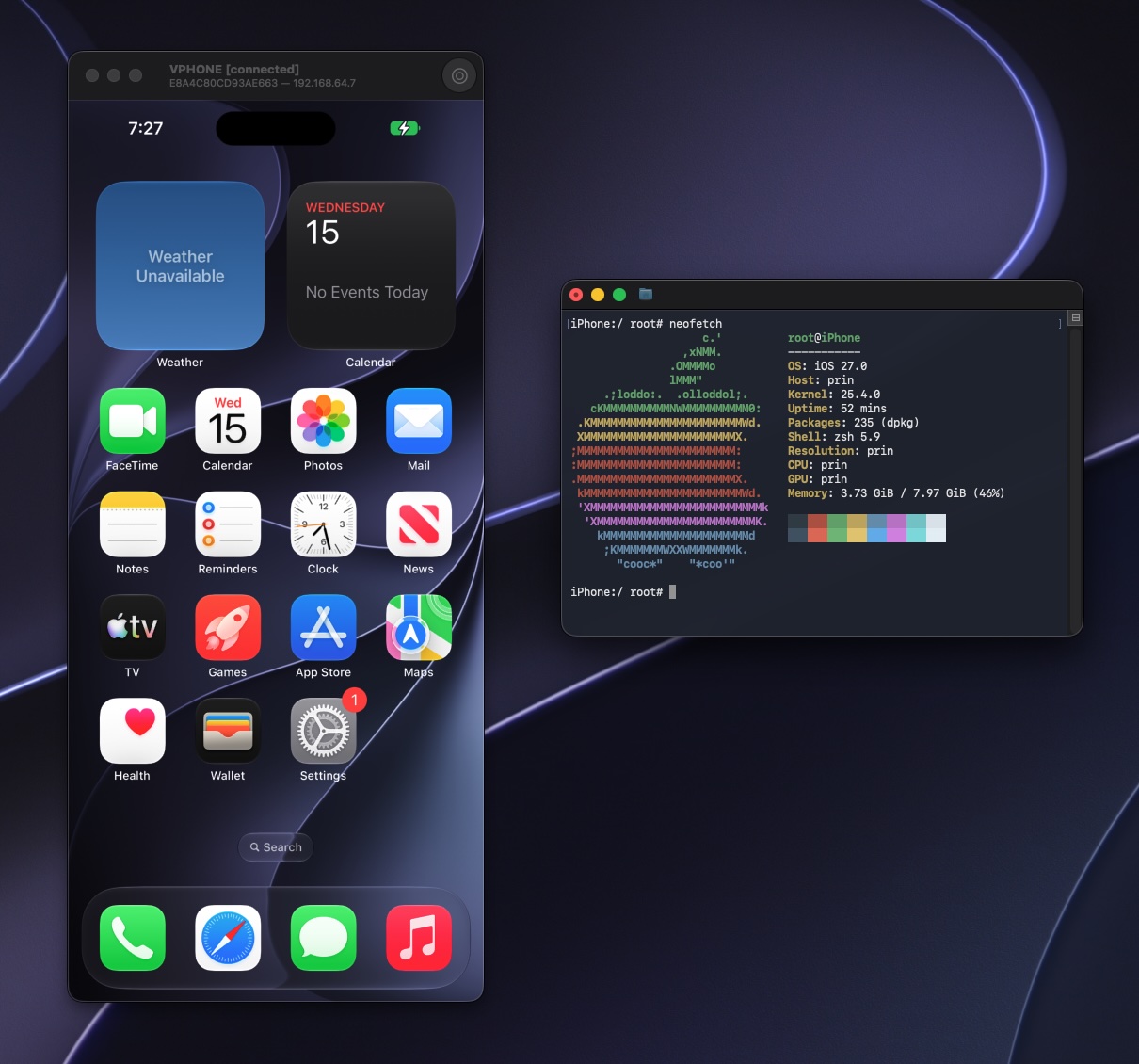
vphone-cli runs iOS with Apple's Virtualization.framework and PCC research virtual machines, for security research, reverse engineering, and debugging.
- **Graphical Window:** Use the virtual iPhone's screen on your Mac, browse apps and files, and take screenshots and screen recordings.
- **Custom Firmware:** The system comes pre-patched, and you can install a package environment.
- **Backup and Cloning:** You can export, import, and clone VMs.
- **Automation API:** An optional local HTTP and WebSocket interface.
- **No Extra Dependencies:** Needs no Xcode, Python, or Homebrew at runtime.
## Requirements
- A physical Apple Silicon Mac running macOS 15 or newer. It does not work in a macOS VM.
- Free disk space. Each VM has a 64 GB virtual disk by default, and firmware takes more.
- A network connection. Restoring the system fetches signing tickets online.
- Adjusted security settings. Boot into macOS Recovery, run these commands in Terminal, then restart:
```sh
csrutil enable --without debug
csrutil allow-research-guests enable
```
SIP stays enabled, with only the debugging restrictions relaxed. For details, see [Host Setup](Documents/Guides/host-setup.md).
## Get Started
1. Download `vphone-launchpad--notarized.zip` from the [latest release](https://github.com/Lakr233/vphone-cli/releases/latest), unzip it, and open it. Not every release is notarized. If the latest one has no `-notarized` file, pick a notarized version from [Downloads](Documents/Downloads/README.md).
2. In **Host Setup**, grant Developer Tools access and install the helper.
3. In **Core Bundle**, click **Download and Install**.
4. In **Machines**, click **New Machine**, choose a firmware pairing, and click **Create**.
Launchpad downloads the firmware, patches it, restores the system, and boots the VM. To use your own iPhone and cloudOS IPSWs, see [Compatibility](Documents/Guides/compatibility.md).
To install a package manager in the VM, see [Package Environment](Documents/Guides/package-environment.md).
### Let an agent do it
If you use a coding agent (Claude Code, Codex, or similar) on this Mac, paste the prompt below instead of following the steps by hand. The agent reads the vphone skill, checks what is already set up, installs Launchpad and `VPhone.bundle`, and stops to ask when a step needs you, such as an administrator password or a change in macOS Recovery.
```text
Set up vphone on this Mac. Read the skill at
https://raw.githubusercontent.com/Lakr233/vphone-cli/main/Skills/vphone-guest-control/SKILL.md
and the files it links under references/ (same folder), then follow them:
install the newest notarized vphone-launchpad (not every release has a
-notarized zip), put vphone-launchpad-cli on PATH, install the VPhone.bundle
that matches Launchpad's series, and check `vphone-launchpad-cli status`.
Do not change SIP, boot-args or any other host security setting, and do not
create a machine until I confirm the firmware and the free disk space. When a
step needs me, tell me exactly what to do and wait.
```
## Command Line
Launchpad drives VMs through the `vphone-cli` inside `VPhone.bundle`. You can also run it in Terminal:
```sh
vphone-cli vm list
vphone-cli vm launch myphone
vphone-cli vm export myphone --out myphone.tzst
```
VMs are stored in `~/.vphone/`. Run `vphone-cli --help` to see all commands. To create a VM without Launchpad, see [Create and Run](Documents/Guides/create-and-run.md).
To turn on the automation API, add `--api-listen 127.0.0.1:8765` at launch and use the token it prints. See the [API documentation](Research/vphoned_http_api.md).
## Documentation
| Document | Contents |
| --- | --- |
| [Downloads](Documents/Downloads/README.md) | Notarized Launchpad versions and matching `VPhone.bundle` versions |
| [Host Setup](Documents/Guides/host-setup.md) | SIP and AMFI settings, building from source, environment checks |
| [Create and Run](Documents/Guides/create-and-run.md) | Firmware sources, the creation process, storage and backups |
| [Compatibility](Documents/Guides/compatibility.md) | Verified firmware pairings |
| [Package Environment](Documents/Guides/package-environment.md) | Installing and removing a package manager in the VM |
| [Troubleshooting](Documents/Guides/troubleshooting.md) | Common errors and how to fix them |
| [Networking](Documents/Guides/networking.md) | Network modes, and `tunnel` for a Mac behind a VPN or proxy |
| [Launchpad Command Line](Documents/Guides/launchpad-cli.md) | Install and test a local build with `vphone-launchpad-cli` |
| [Contributing](Documents/README.md#for-contributors) | Project structure, building from source, research notes |
If these do not solve your problem, [open an issue](https://github.com/Lakr233/vphone-cli/issues).
## Acknowledgements
- [wh1te4ever/super-tart-vphone-writeup](https://github.com/wh1te4ever/super-tart-vphone-writeup)